The quick verdict
Buying your first one? We lean toward the LR.
For frequent travel and unpredictable Wi-Fi, the extra $20 is a reasonable bet on greater range. Choose the standard UTR when the smallest, lightest package matters most. Already own a UTR that works well? Keep it until range becomes a problem.
This is our buying judgment from the published specifications. We have not measured a performance advantage between these units.
Why carry a travel router at all?
The useful idea is consistency: your laptop, tablet, and other devices can join a network you configure, while the travel router connects upstream. You still need an internet source; the router does not provide its own cellular service.
If you already use UniFi at home, carrying a router from the same ecosystem is appealing. But that familiarity should earn its place in the bag. If you only connect one phone on occasional trips, another device to power and manage may solve very little.
UTR vs UTR-LR: the actual differences
| Feature | UTR | UTR-LR |
|---|---|---|
| US list price | $79 | $99 |
| Wi-Fi | WiFi 5 · 2×2 MIMO | WiFi 5 · 2×2 MIMO |
| Maximum 802.11ac link rate | 866.7 Mbps | 866.7 Mbps |
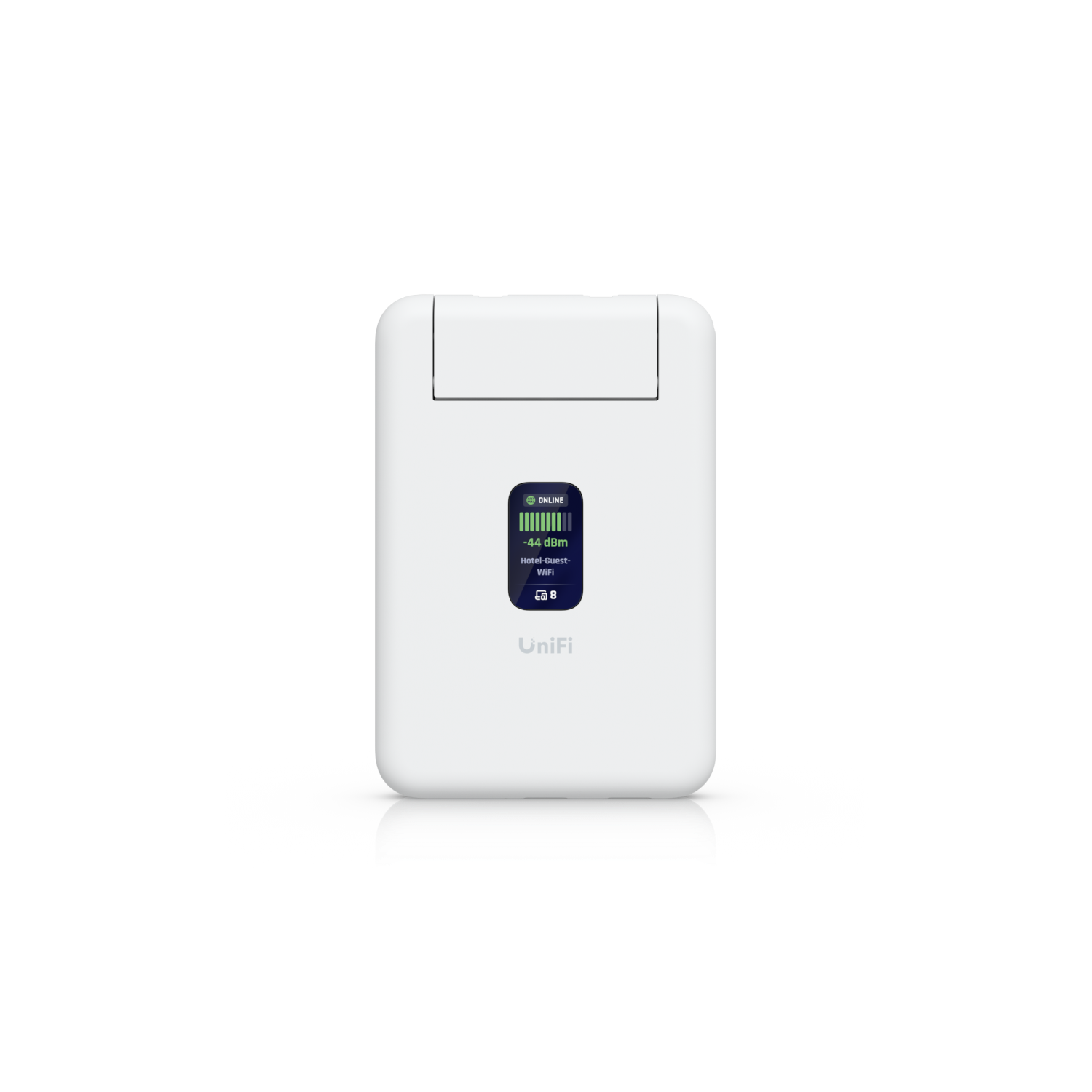
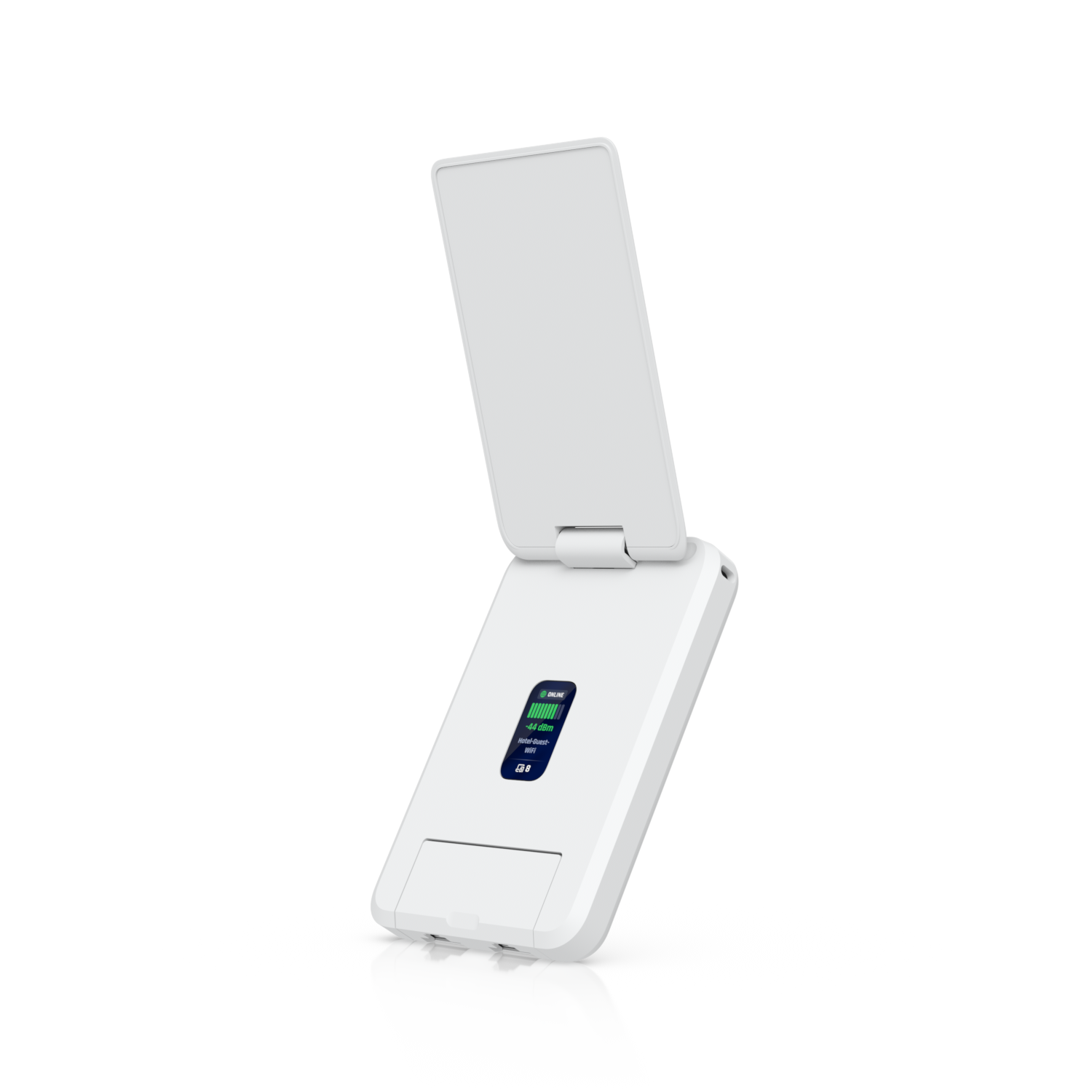
| Antenna design | Embedded antennas | Integrated foldable antenna |
| Maximum TX power 2.4 / 5 GHz | 13 / 15 dBm | 20 / 23 dBm |
| Ethernet | 2× Gigabit RJ45 | 2× Gigabit RJ45 |
| Internet inputs | Wi-Fi, Ethernet, USB phone tethering | Wi-Fi, Ethernet, USB phone tethering |
| VPN clients | WireGuard, OpenVPN | WireGuard, OpenVPN |
| Dimensions | 95.95 × 65 × 12.5 mm | 96 × 65 × 19.5 mm |
| Weight | 89 g / 3.1 oz | 126 g / 4.4 oz |
| Power | USB-C, 5V/2A 5W maximum | USB-C, 5V/2A 5W maximum |
| Power adapter | Not included | Not included |
| Standalone mode | No UniFi account required | No UniFi account required |
Sources: Ubiquiti’s UTR specifications, UTR-LR specifications, and US store listings for the UTR and UTR-LR. Checked September 19, 2026. Prices exclude tax and shipping; availability can change. Transmit-power figures are published maxima, not guaranteed operating levels in every region.
What “Long-Range” actually buys you
Ubiquiti positions the LR’s folding antenna as an extended-range upgrade. Its specification sheet also lists higher maximum transmit power. Those are meaningful differences, but they do not tell us how much better a particular hotel connection will be. Ubiquiti’s LR product overview.
Our interpretation: the LR is most interesting when placement is awkward or the available Wi-Fi is marginal. Wi-Fi works in both directions, and the upstream access point, walls, interference, and antenna orientation all affect the result. A range-focused design cannot promise a stable connection in every room.
The packing trade-off is modest: roughly the same footprint, but 7 mm more thickness and 37 g more weight. That is unlikely to decide the purchase for everyone, though an ultra-compact tech pouch gives the standard UTR a clear reason to exist.
Range is only one part of speed
Both remain WiFi 5 devices with the same advertised maximum wireless link rate. That link rate is a radio specification, not an internet-speed or VPN-throughput promise. UTR / UTR-LR technical specifications.
If weak reception is your bottleneck, a better wireless connection could help. If the hotel limits each connection or its internet service is congested, changing the router cannot remove that limit. Likewise, a good Ethernet connection upstream reduces the importance of reaching the hotel’s Wi-Fi, although coverage for your own wireless devices still matters.
For a connection back to a home server, the slowest part might instead be your home upload speed, the VPN endpoint, or the path between them. Choose the LR for its range proposition; buy only after separate testing if a specific VPN speed is essential.
The No Cloud Needed perspective
Both models support standalone operation without a UniFi account, according to their official listings. That is the most relevant ownership detail here: an existing UniFi deployment is not a prerequisite for basic standalone use.
For self-hosters, a configured VPN client can be useful for reaching a compatible VPN server and the services it permits. Both models list WireGuard and OpenVPN support. You still need to configure the destination, routing, and access rules; owning the router alone does not expose your home services to you.
Our standard is practical control. Standalone capability is valuable, but it does not establish that every optional remote-management feature is independent of vendor services. Consider the setup you actually intend to use.
Which one belongs in your bag?
Choose the UTR for compactness.
You prioritize the slim body, usually have a decent connection, and would rather keep the extra $20. It is also sensible to keep a UTR you already own when it meets your needs.
Choose the UTR-LR for uncertain Wi-Fi.
You travel frequently, encounter different room layouts, and can accept a slightly thicker device. At a $20 premium for a new purchase, we would favor the range-focused option—subject to real-world testing.
Upgrading an existing UTR is a different calculation: the new LR costs $99 before any resale proceeds. Do not treat the $20 difference between new products as your upgrade cost.
What still needs a real-world test
This article compares published information. Before calling either router a proven travel winner, we would test:
- Weak-signal behavior: the same upstream access point, placement, band, and client, including repeated runs and LR antenna positions.
- Usable performance: throughput, latency, and dropouts with and without a VPN, using the same endpoint.
- Travel friction: hotel login pages, reconnection after power loss, and phone tethering under the same conditions.
Our recommendation today: lean toward the LR for a first purchase if travel Wi-Fi is unpredictable. Keep the standard UTR if it already does the job. The useful upgrade is the one that fixes a problem you actually have.